This article will describe building android on Ubuntu 16.04.
Table of Contents
1 System environment
Building android needs 16GB RAM and 150GB Storage. This article use below system environment.
| CPU core number | 1 |
| RAM | 4GB |
| Swap | 16GB |
| Storage | 160GB |
2 Install package for building android
Install packages written at Establishing a Build Environment. Choose penjdk-8-jdk as java package.
$ sudo apt-get install -y openjdk-8-jdk \
git-core gnupg flex bison gperf build-essential \
zip curl zlib1g-dev gcc-multilib g++-multilib libc6-dev-i386 \
lib32ncurses5-dev x11proto-core-dev libx11-dev lib32z-dev ccache \
libgl1-mesa-dev libxml2-utils xsltproc unzip
3 Git configuration
"repo init" needs git config name and email.
$ git config --global user.name "Your Name"
$ git config --global user.email "[email protected]"
4 Download repo
Download repo command and add repo to PATH.
$ curl https://storage.googleapis.com/git-repo-downloads/repo > ~/bin/repo
$ chmod a+x ~/bin/repo
$ export PATH=~/bin:${PATH}
5 Download android source code
"repo sync" spend about 2 hours.
$ repo init -u https://android.googlesource.com/platform/manifest
$ repo sync -j2
6 Compile classes.dex will cause Out of Memory
Compiling large java file like classes.dex will cause Out of Memory because java stack size is overflowed. Acording to stackoverflow, make java heap size be 4096m with exporting JAVA_TOOL_OPTIONS.
$ export JAVA_TOOL_OPTIONS="-Dfile.encoding=UTF-8 -XX:+TieredCompilation -Xmx4096m"
7 Build android
Building android spend around 7 hours with this system environment. If you have more nice machine, please check jack-server and use m with -j option.
$ . build/envsetup.sh && lunch aosp_x86-eng && m
You can check lunch target list without argument.
$ lunch

You're building on Linux

Lunch menu... pick a combo:
     1. aosp_arm-eng
     2. aosp_arm64-eng
     3. aosp_mips-eng
     4. aosp_mips64-eng
     5. aosp_x86-eng
     6. aosp_x86_64-eng
     7. aosp_deb-userdebug
     8. aosp_flo-userdebug
     9. full_fugu-userdebug
     10. aosp_fugu-userdebug
     11. mini_emulator_arm64-userdebug
     12. m_e_arm-userdebug
     13. mini_emulator_mips-userdebug
     14. mini_emulator_x86-userdebug
     15. mini_emulator_x86_64-userdebug
     16. aosp_flounder-userdebug
     17. aosp_angler-userdebug
     18. aosp_bullhead-userdebug
     19. aosp_hammerhead-userdebug
     20. aosp_hammerhead_fp-userdebug
     21. hikey-userdebug
     22. aosp_shamu-userdebug

Which would you like? [aosp_arm-eng]
8 Execution result
Run android command.
$ . build/envsetup.sh && lunch aosp_x86-eng
$ android
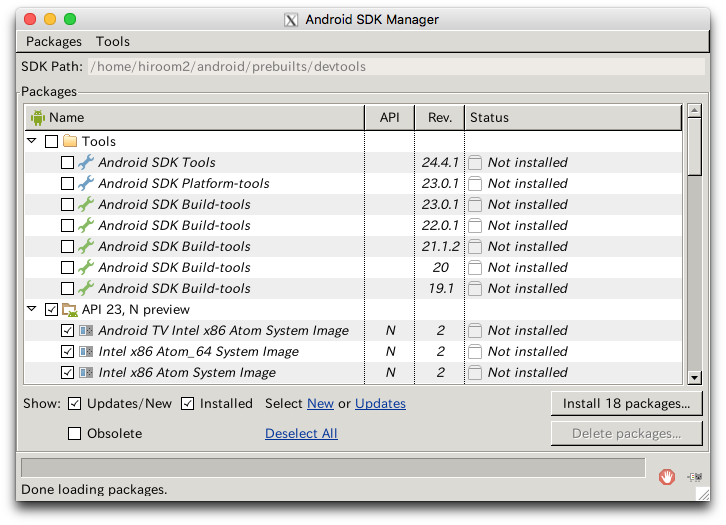
Android SDK Manager is displayed.