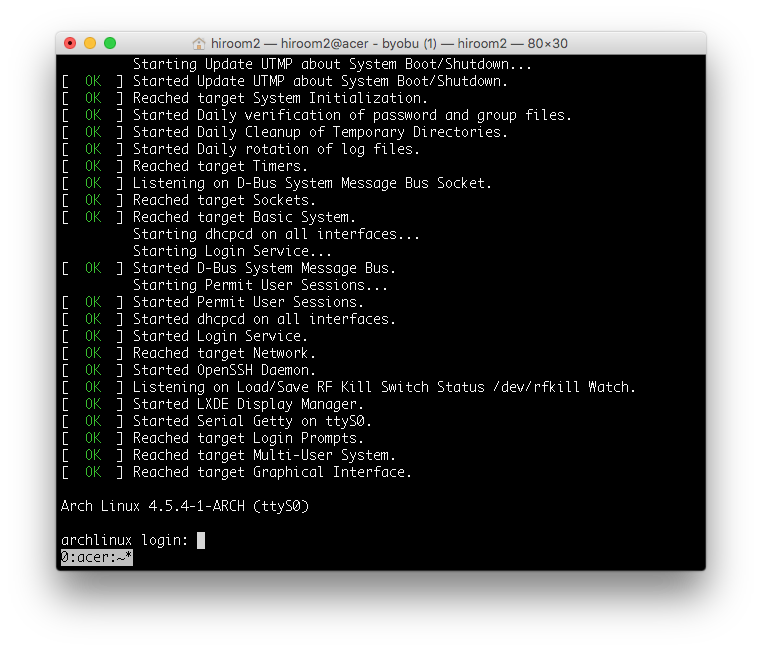
This article will describe changing GRUB2 and Linux to serial console.
This is not for desktop environment but embedded system and virtual machine environment.
Table of Contents
1 /etc/default/grub
Change /etc/default/grub as below.
- Change GRUB terminal to console and ttyS0. This will provide one GRUB to a monitor display and serial console.
- Change linux kernel console to tty1 and ttyS0. ttyS0 will be managed by login prompt and tty1 will be managed by display manager like lxdm.
$ diff -uprN /etc/default/grub{.org,}
--- /etc/default/grub.org       2016-06-06 18:06:46.053333327 +0000
+++ /etc/default/grub   2016-06-06 20:28:12.563333332 +0000
@@ -1,7 +1,7 @@
 GRUB_DEFAULT=0
 GRUB_TIMEOUT=1
 GRUB_DISTRIBUTOR="Arch"
-GRUB_CMDLINE_LINUX_DEFAULT="quiet"
+GRUB_CMDLINE_LINUX_DEFAULT="console=tty1 console=ttyS0,115200"
 GRUB_CMDLINE_LINUX=""

 # Preload both GPT and MBR modules so that they are not missed
@@ -11,8 +11,11 @@ GRUB_PRELOAD_MODULES="part_gpt part_msdo
 #GRUB_HIDDEN_TIMEOUT=5
 #GRUB_HIDDEN_TIMEOUT_QUIET=true

+GRUB_TERMINAL="console serial"
+GRUB_SERIAL_COMMAND="serial --speed=115200 --unit=0 --word=8 --parity=no --stop=1"
+
 # Uncomment to use basic console
-GRUB_TERMINAL_INPUT=console
+#GRUB_TERMINAL_INPUT=console

 # Uncomment to disable graphical terminal
 #GRUB_TERMINAL_OUTPUT=console
2 grub-mkconfig
Update /boot/grub/grub.cfg with grub-mkconfig.
$ sudo grub-mkconfig -o /boot/grub/grub.cfg
Generating grub configuration file ...
Found linux image: /boot/vmlinuz-linux
Found initrd image: /boot/initramfs-linux.img
Found fallback initramfs image: /boot/initramfs-linux-fallback.img
done
Reboot ArchLinux.
$ sudo reboot
3 Execution result
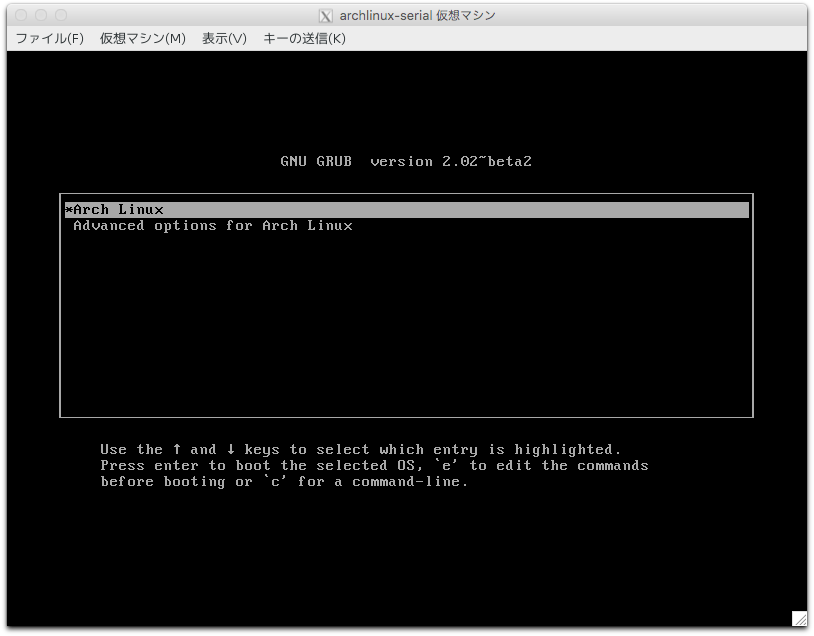
GRUB to monitor display is as below.
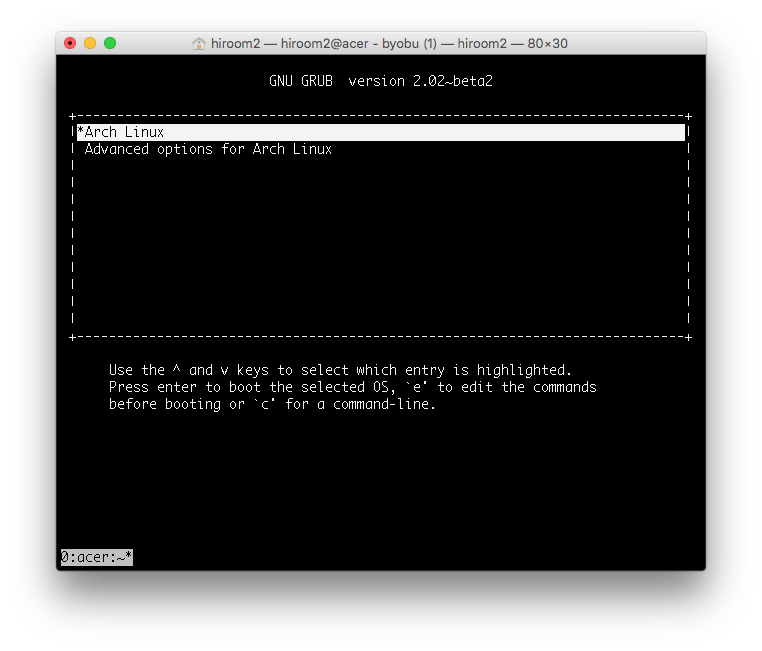
GRUB to serial console is as below.
This article used "sudo virsh console <vmname>" for connecting serial console.
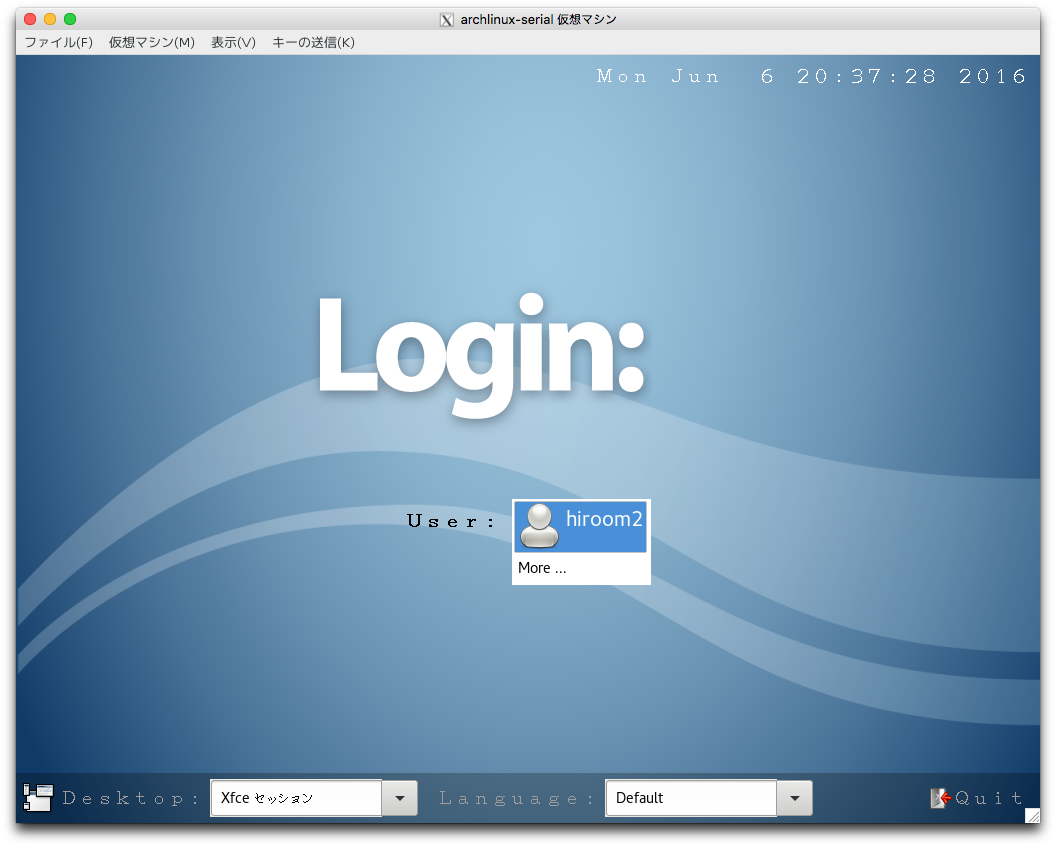
tty1 is managed by display manager.
If pressing Ctrl + Alt + F2, tty2 will be managed by login prompt.
Login prompt to serial console is as below.