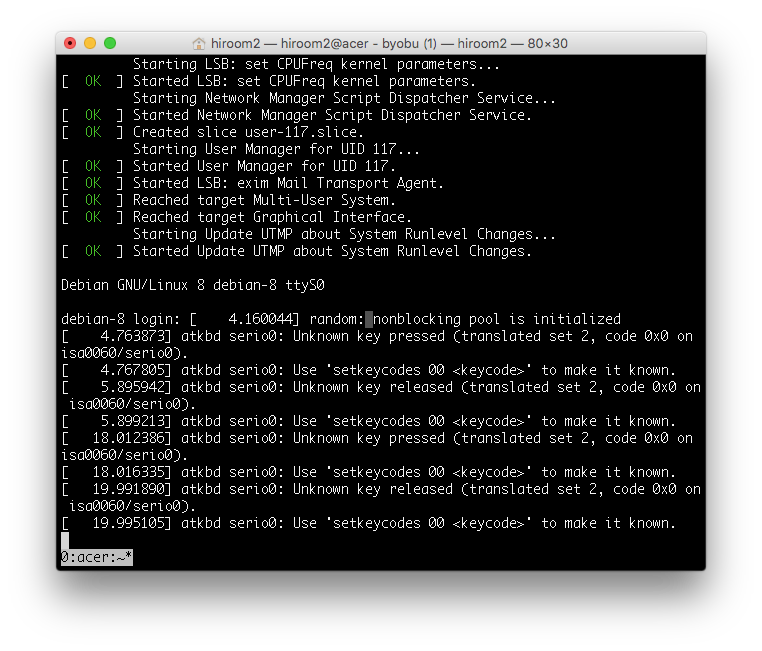
This article will describe changing GRUB2 and Linux to serial console.
This is not for desktop environment but embedded system and virtual machine environment.
Table of Contents
1 /etc/default/grub
Change /etc/default/grub as below.
- Change GRUB terminal to console and ttyS0. This will provide one GRUB to a monitor display and serial console.
- Change linux kernel console to tty1 and ttyS0. This setting will be taken over to userland, and there will be two login prompt for tty1 and ttyS0.
$ diff -uprN /etc/default/grub{.org,}
--- /etc/default/grub.org       2016-06-07 08:39:30.620000000 +0900
+++ /etc/default/grub   2016-06-08 00:07:20.328000000 +0900
@@ -4,10 +4,10 @@
 #   info -f grub -n 'Simple configuration'

 GRUB_DEFAULT=0
-GRUB_TIMEOUT=5
+GRUB_TIMEOUT=1
 GRUB_DISTRIBUTOR=`lsb_release -i -s 2> /dev/null || echo Debian`
-GRUB_CMDLINE_LINUX_DEFAULT="quiet"
-GRUB_CMDLINE_LINUX=""
+GRUB_CMDLINE_LINUX_DEFAULT=""
+GRUB_CMDLINE_LINUX="console=tty1 console=ttyS0,115200"

 # Uncomment to enable BadRAM filtering, modify to suit your needs
 # This works with Linux (no patch required) and with any kernel that obtains
@@ -15,7 +15,8 @@ GRUB_CMDLINE_LINUX=""
 #GRUB_BADRAM="0x01234567,0xfefefefe,0x89abcdef,0xefefefef"

 # Uncomment to disable graphical terminal (grub-pc only)
-#GRUB_TERMINAL=console
+GRUB_TERMINAL="console serial"
+GRUB_SERIAL_COMMAND="serial --speed=115200 --unit=0 --word=8 --parity=no --stop=1"

 # The resolution used on graphical terminal
 # note that you can use only modes which your graphic card supports via VBE
2 grub-mkconfig
Update /boot/grub/grub.cfg with grub-mkconfig.
$ sudo grub-mkconfig -o /boot/grub/grub.cfg
Generating grub configuration file ...
Found linux image: /boot/vmlinuz-3.16.0-4-amd64
Found initrd image: /boot/initrd.img-3.16.0-4-amd64
done
Reboot Debian 8.
$ sudo reboot
3 Execution result
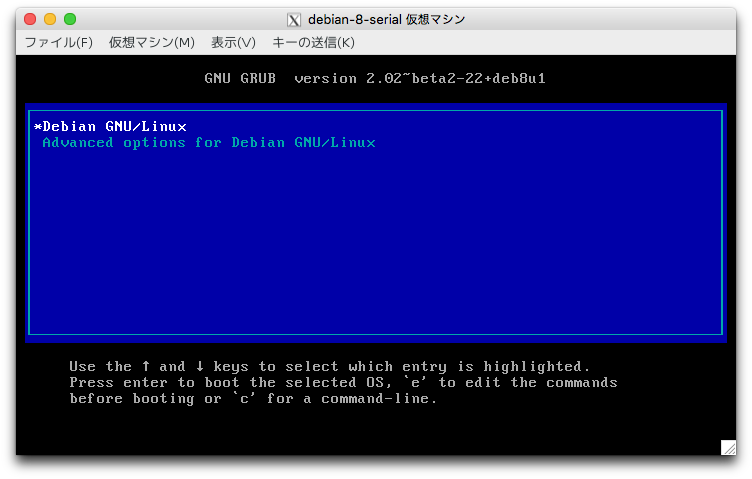
GRUB to monitor display is as below.
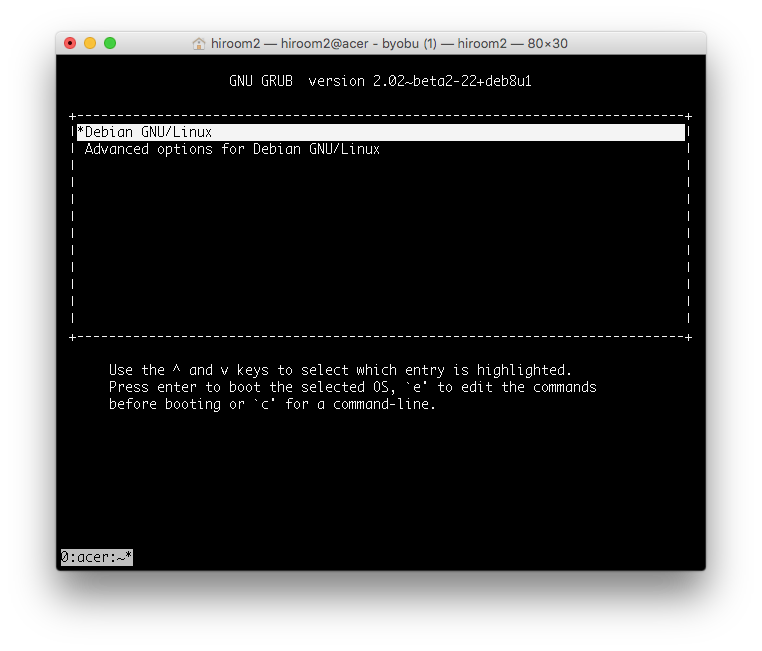
GRUB to serial console is as below.
This article used "sudo virsh console <vmname>" for connecting serial console.
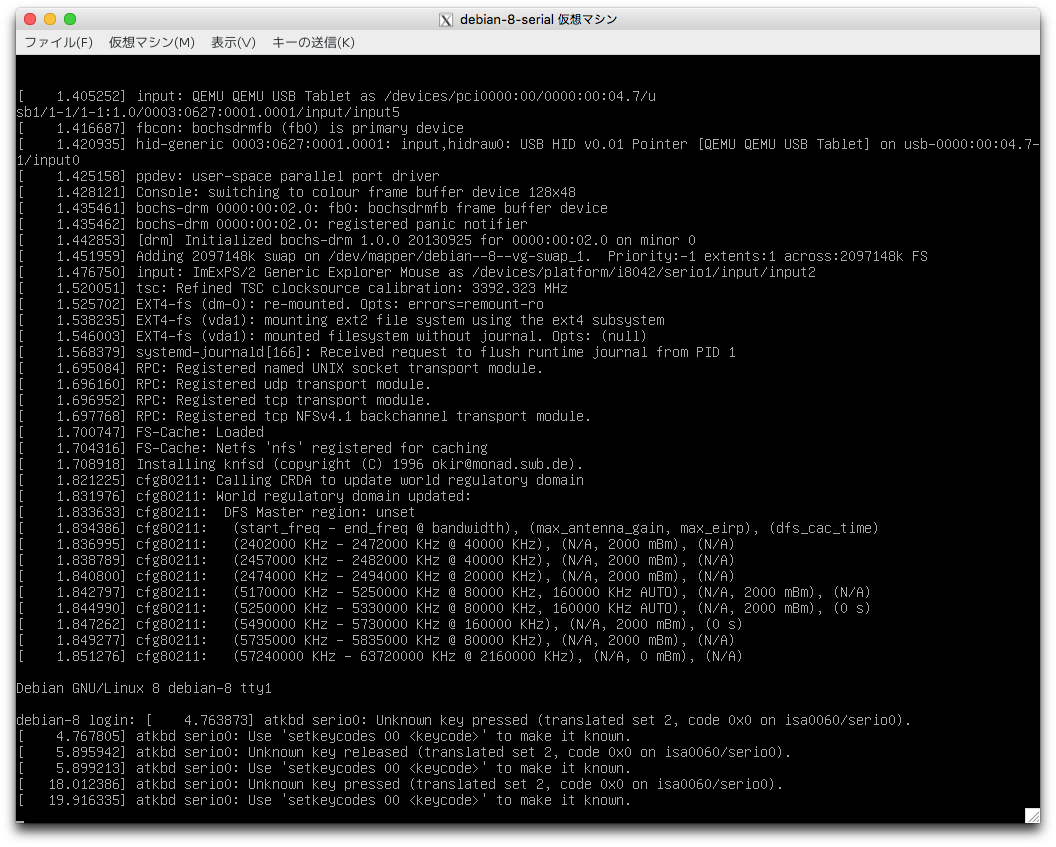
Login prompt to monitor display is as below.
tty1 is displayed with press Ctrl + Alt + F1.
Login prompt to serial console is as below.