This article will describe using package package which provides package manager on emacs.
Table of Contents
1 ${HOME}/.emacs
Load package with require. Add package archives URL to package-archives.
There are some package archives URL. ELPA has old version package.
(require 'package)
(add-to-list 'package-archives
    '("marmalade" .
      "http://marmalade-repo.org/packages/"))
(add-to-list 'package-archives
    '("elpa" .
      "http://tromey.com/elpa/"))
(add-to-list 'package-archives
             '("melpa-stable" .
               "http://melpa-stable.milkbox.net/packages/"))
(add-to-list 'package-archives
             '("melpa" .
               "http://melpa.milkbox.net/packages/") t)
(package-initialize)
packages will be installed to ${HOME}/.emacs.d/elpa. This will be load without setting load-path.
2 Key bindings
Running M-x package-list-packages opens Packages buffer. The followinig key bindings are enabled in Packages buffer.
| i | Mark as install |
| d | Mark as uninstall |
| U | Mark as update |
| u | Unmark |
| x | Run package operation |
3 Execution result
Running M-x package-list-packages opens the following Package buffer.
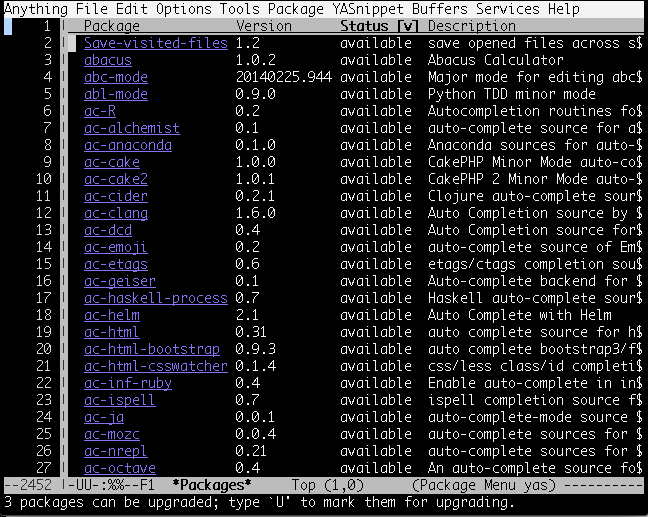
Moving cursor to package and pressing RET shows detail of package.
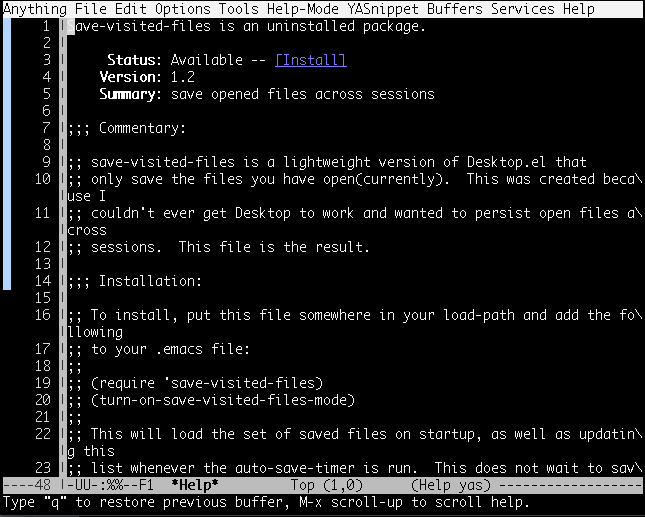
Moving cursor to Install and pressing RET starts to install.